
Evaluation
Free Trial of Carmenta Engine – How to get started
Welcome to Carmenta Engine!
Carmenta Engine is a high-performance mapping engine written in C++ with development APIs for C++, C#, and Java. It runs on Windows, Linux, and Android and supports a wide variety of GUI toolkits with samples and tutorials.
Here is a step-by-step guide on how to get started.
If you’re interested in evaluating Carmenta Engine, but haven’t signed up yet, visit the Request a trial page to get started.
Assets during your evaluation
- Free access to our e-mail support throughout your evaluation period.
- Free access to our Carmenta Engine self-study course during your evaluation period.
- Looking for guidance? Our Product Documentation and Developer Guides cover most topics you might need.
Installation Guide
Download Carmenta Engine & Samples Geodata×
- Download the SDK using the download link in your e-mail.
- Note that there are different downloads for Windows and Linux.
- Once installation is complete, the license manager will open. Use the license key attached to your e-mail and you will be up and running.
Samples Geodata
- Download the Carmenta Engine sample geodata from the same link as where you download the SDK. This is used by the sample map configurations and applications that are included with the program.
- There are different versions for Windows and Linux.
View sample configurations in Carmenta Explorer×
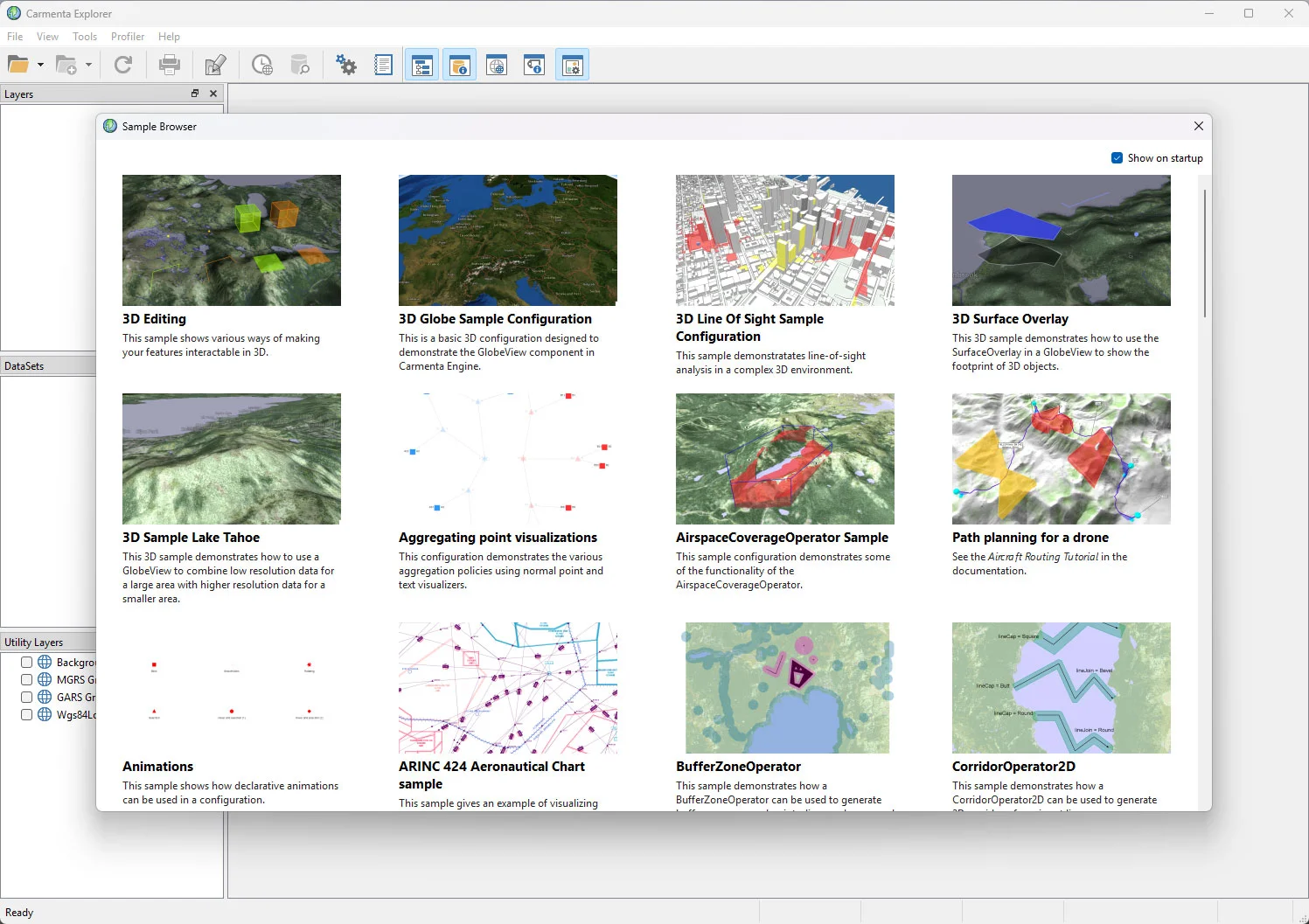
A good next step is to open Carmenta Explorer and check out the sample map configurations included in the SDK.
When you launch Carmenta Explorer, it will automatically display these samples in a Sample Browser window. You can show the Sample Browser again by selecting “Show Map Configuration Samples” from the File menu.
Want more help?
- Introduction video: Watch a short introduction video on how to preview configured maps in Carmenta Explorer.
Next steps - Get started using Carmenta Engine
Work with map configurations×
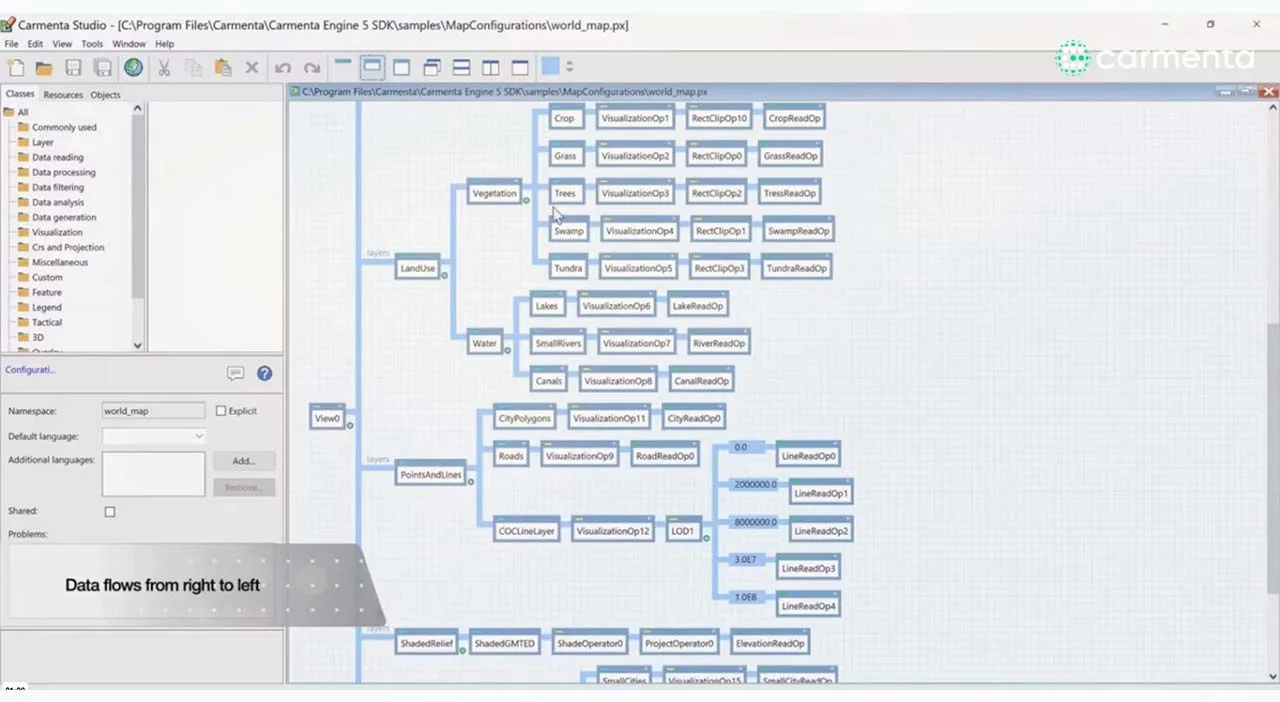
The object model is a core SDK concept when integrating Carmenta Engine in your own applications. A good starting point is to build a map configuration, which can be done with the help of Carmenta Studio.
Want more help?
- Self-study course: There are detailed chapters on the object model and Carmenta Studio, as well as hands-on practice on map configurations, in our online self-study course.
- Article: We have a guide to how Carmenta Engine Displays a Map on our developer blog.
- Tutorial: There is also a Basic Vector Configuration Tutorial in our documentation.
- Introduction video: Watch our introduction video on how to inspect map configurations in Carmenta Studio.
- Introduction video: Watch our introduction video on how to create and edit map configurations.
Create your first application×
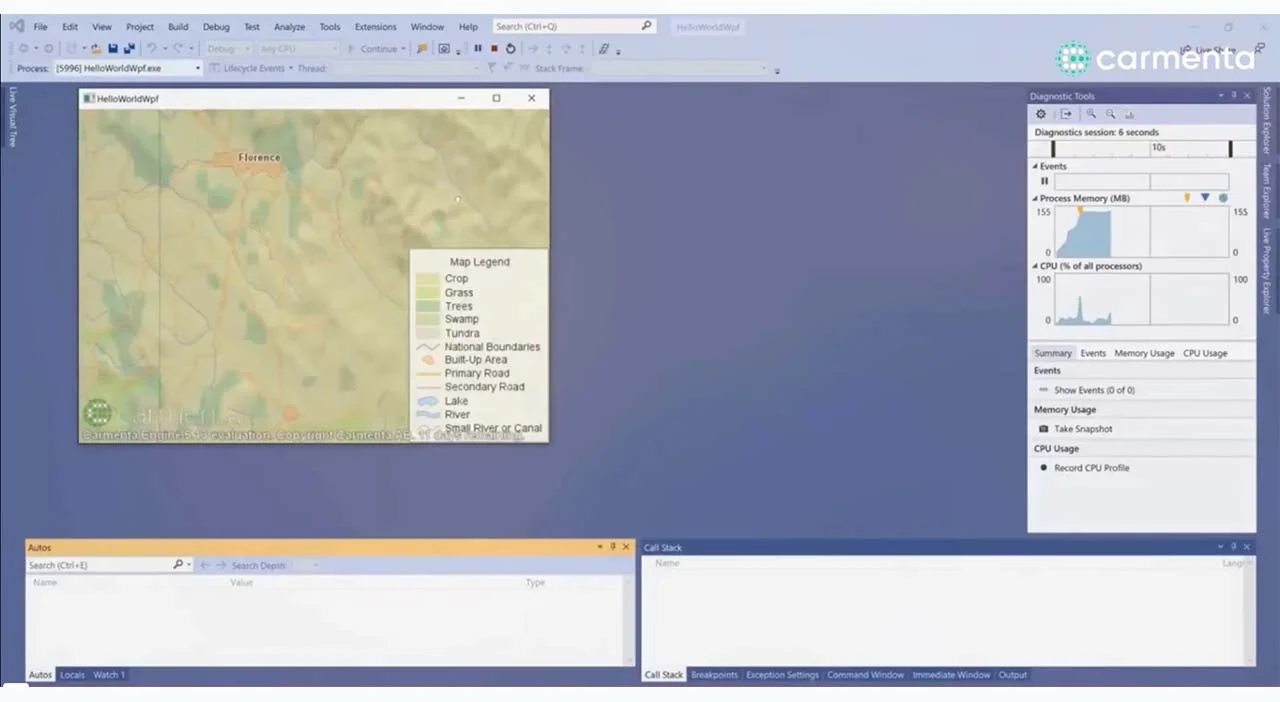
With the help of the Carmenta Engine API, you can integrate a map configuration in your application and start interacting with the objects. This encompasses both visualizing a map using a Map Control and working with your dynamic application data.
Want more help?
- Self-study course: Learn more about these topics and practice on a simple aircraft tracker application in our online self-study course.
- Tutorial: We also have a tutorial on this in our documentation: Getting Started with Application Development.
- Introduction video: You can also watch a short introduction video: Create your first application.
Access the self-study course
Our online self-study course is free during your evaluation period. To access it, reply to the e-mail in which you received your license key, or contact us at license.management@carmenta.com.
In the e-mail, ask for access to the Carmenta Engine self-study course and please specify if you prefer to take the course with exercises in C# or C++. You will receive a notification when your course account has been set up.
The first chapter of the course is available without registering and available on the link below. Select the C# or C++ course to access the first chapter and see the full course curriculum.
Access to watch the first chapter and full course curriculum
Contact Support
Our support team is here for you! During your evaluation period you have free access to our e-mail support.
STAY UPDATED
Sign up to get the latest news
Subscribe to our newsletter to receive:
- Insights into emerging trends and technologies in the geospatial industry.
- Announcements about upcoming events, technical advancements, new innovative projects, and more.
- Updates on our powerful developer tools and resources – new developments, product releases, and insightful whitepapers.
- Expert tips and best practices for optimizing your geospatial applications.
Sign up today to get the latest geospatial technology updates and insights!