
Next Post
Carmenta Engine on Linux/ARM
Build and deploy Carmenta Engine applications to Linux/ARM (Raspberry Pi) in C++, .NET Core, or Java, with sample setup and run instructions.
View Post
When planning missions for uncrewed systems, whether uncrewed aerial vehicles (UAVs), uncrewed ground vehicles (UGVs), or other remote-controlled or autonomous platforms, route calculation is far more than simply connecting waypoints with straight lines. Mission success depends on intelligent routing that accounts for environmental constraints, safety considerations, and operational objectives.
In this article, we’ll explore Carmenta Engine’s routing capabilities through the AirRouteOperator and TerrainRouteOperator. It introduces concepts used in Carmenta UAS Mission Kit – a set of proven and reliable tools, training, and support specifically designed for the development of UAS applications.
Carmenta Engine provides specialized routing operators designed for different mobility domains:
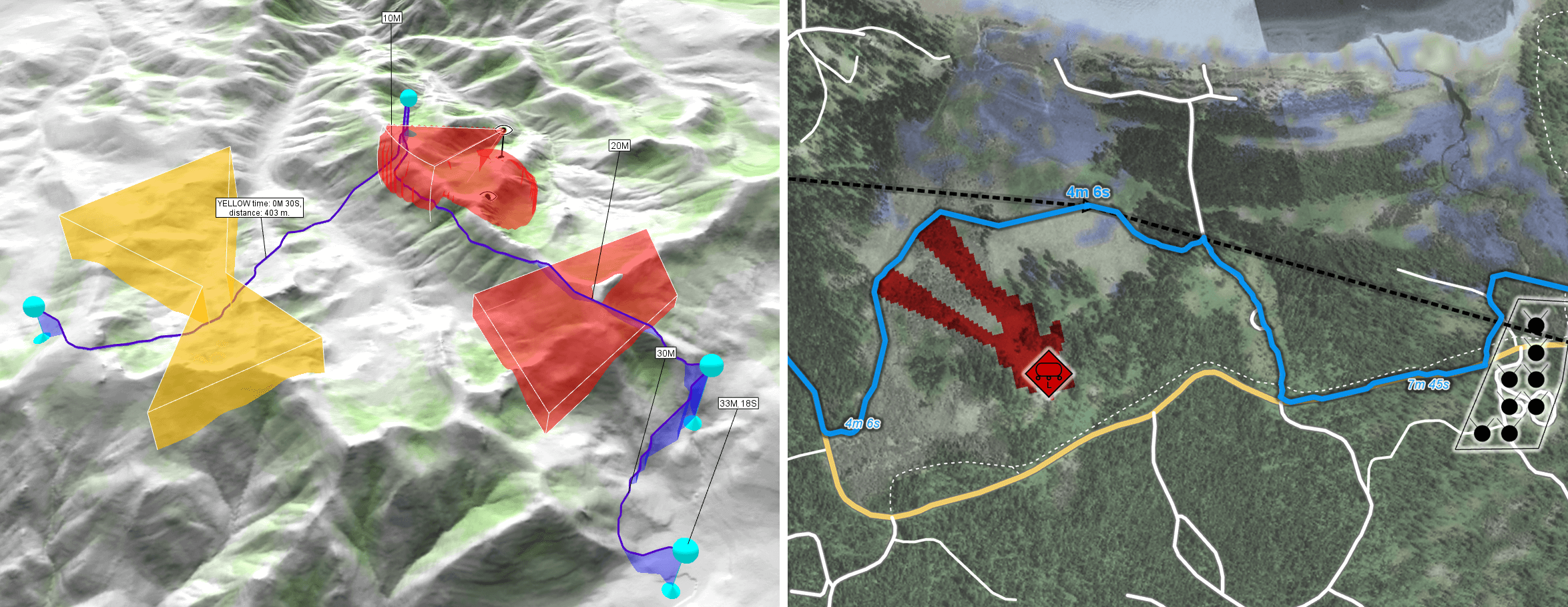
AirRouteOperator (left), TerrainRouteOperator (right)Both operators share a common philosophy: they balance multiple environmental and operational constraints to calculate routes that optimize for speed while respecting safety and mission requirements.
The routing operators transform simple waypoint lists into sophisticated flight or movement plans by considering:
Note: This section focuses on the AirRouteOperator, but the concepts apply broadly to TerrainRouteOperator as well.
Let’s examine how waypoints become routes. In Carmenta Engine, waypoints for a single route are typically represented as a Feature with a LineGeometry, where each node represents a mandatory point of passage.
The routing operator transforms this into a detailed route that takes terrain constraints into account, respects vehicle capabilities, and optimizes for mission parameters.
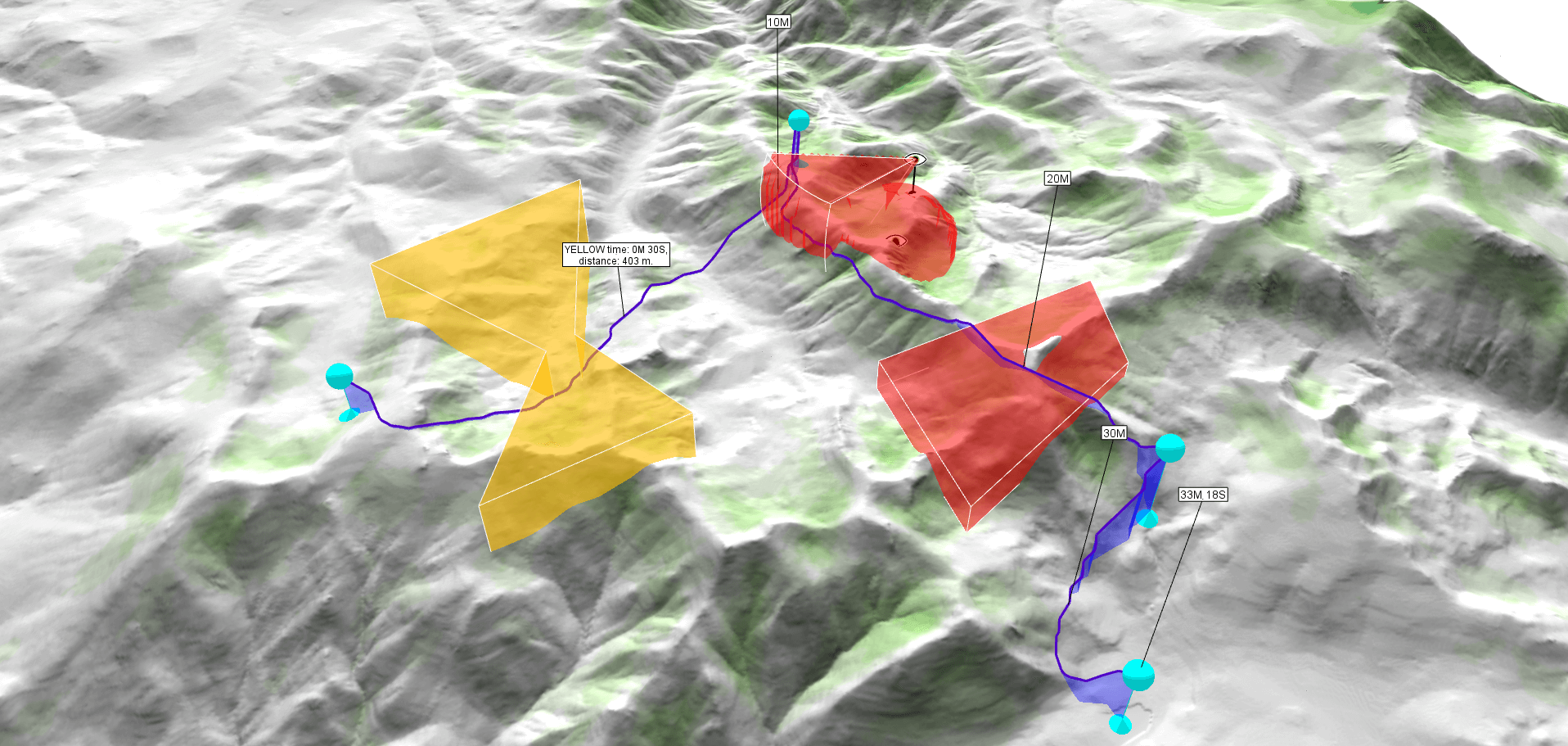
The operator returns one leg per waypoint pair, each containing attributes like:
routeFound (boolean): True if a route was found for this leg, otherwise FalselegDistance (double): Horizontal travel distance along this leg, in meterslegTimeSeconds (double): Travel time along this leg, in secondsThese enable features like arrival time estimates, feasibility validation, and identifying segments that need replanning.
See the full attribute lists: AirRouteOperator Basic outputs | TerrainRouteOperator Basic outputs
The AirRouteOperator specializes in nap-of-the-earth (NOE) routing — low-altitude flight using terrain as cover. Routes are guided by safety factors applied via lowFlightSafetyInput:
> 1.0: Safer areas (route encouraged)= 1.0: Neutral< 1.0: Risky areas (route discouraged)Concealment rasters can be generated using VisibilityIndexOperator for terrain masking, ShadowOperator for shadow coverage, or from tactical factors like radio coverage and friendly force proximity.
When combining multiple constraints, use FunnelOperator for priority-based merging or RasterMergeOperator for arithmetic operations.
Routes must respect airspace restrictions. The airspaceInput accepts 2D vector features (extruded into volumes) or volume-encoding rasters from LineOfSightOperator or AirspaceCoverageOperator.
Safety levels via airspaceSafety:
0: forbidden0-1: restricted>1: encouragedThe typical pattern for using routing operators in a px-file:
Define restricted zones as polygon features in a MemoryDataSet.
safety, topElevation, and bottomElevation for 3D airspace volumes.safety and optionally name for tracking time/distance in named areas.Use FunnelOperator to merge multiple constraint sources into a single input.
routeFound) from failed legs.Terrain routing note: While AirRouteOperator relies primarily on elevation data for terrain-following flight, TerrainRouteOperator benefits from additional terrain type inputs — ground condition and surface structure rasters — that model how different soil types and surface roughness affect vehicle mobility.
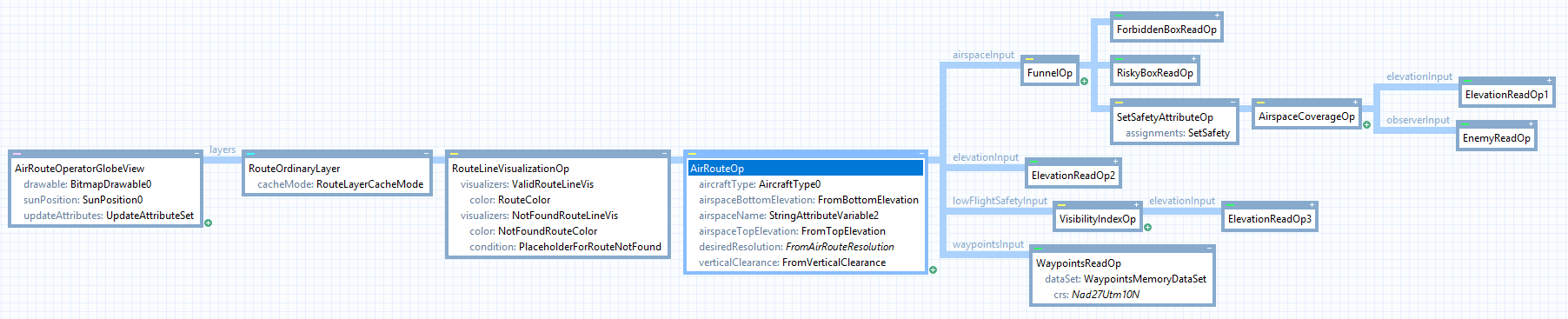
This configuration example air_route_operator.px can be found in the Sample Map Configurations folder within Carmenta Engine’s installation directory
While displaying routes in a map is valuable, many applications need to use routing results programmatically — for export, simulation, onboard re-routing, or integration with other systems.
All Carmenta Engine operators support the GetFeatures method, which retrieves calculated results without visualization:
// C++ example
ConfigurationPtr config = new Configuration("routing_config.px");

AirRouteOperatorPtr airRouteOp = dynamic_cast<AirRouteOperator*>(config->getPublicObject("AirRouteOp").get());

MemoryDataSetPtr waypointsMemDs = dynamic_cast<MemoryDataSet*>(airRouteOp->findChildObject("WaypointsMemoryDataSet").get());

waypointsMemDs->clear();

LineGeometryPtr routeGeometry = new LineGeometry();
routeGeometry->points()->add(start()->point());
routeGeometry->points()->add(destination()->point());
FeaturePtr routeFeature = new Feature(routeGeometry, Crs::wgs84LongLat());

{
    Guard guard(waypointsMemDs);
    waypointsMemDs->insert(routeFeature);
}

// Calculate Route-features
auto features = airRouteOp->getFeatures(Crs::wgs84LongLat());

// Process route legs
while (features->moveNext())
{
    FeaturePtr feature = features->current();
    // Access leg attributes like accumulatedTimeSeconds
    // Providing total travel time along this and all previous legs, in seconds.
    double travelTime = Util::getAttributeValueDouble(feature->attributes(), "accumulatedTimeSeconds", 0.0);
    // ...
}
This enables routing services that can run:
The concepts discussed here are implemented in Carmenta’s UAS Mission Kit — a comprehensive sample application for UAV mission planning.
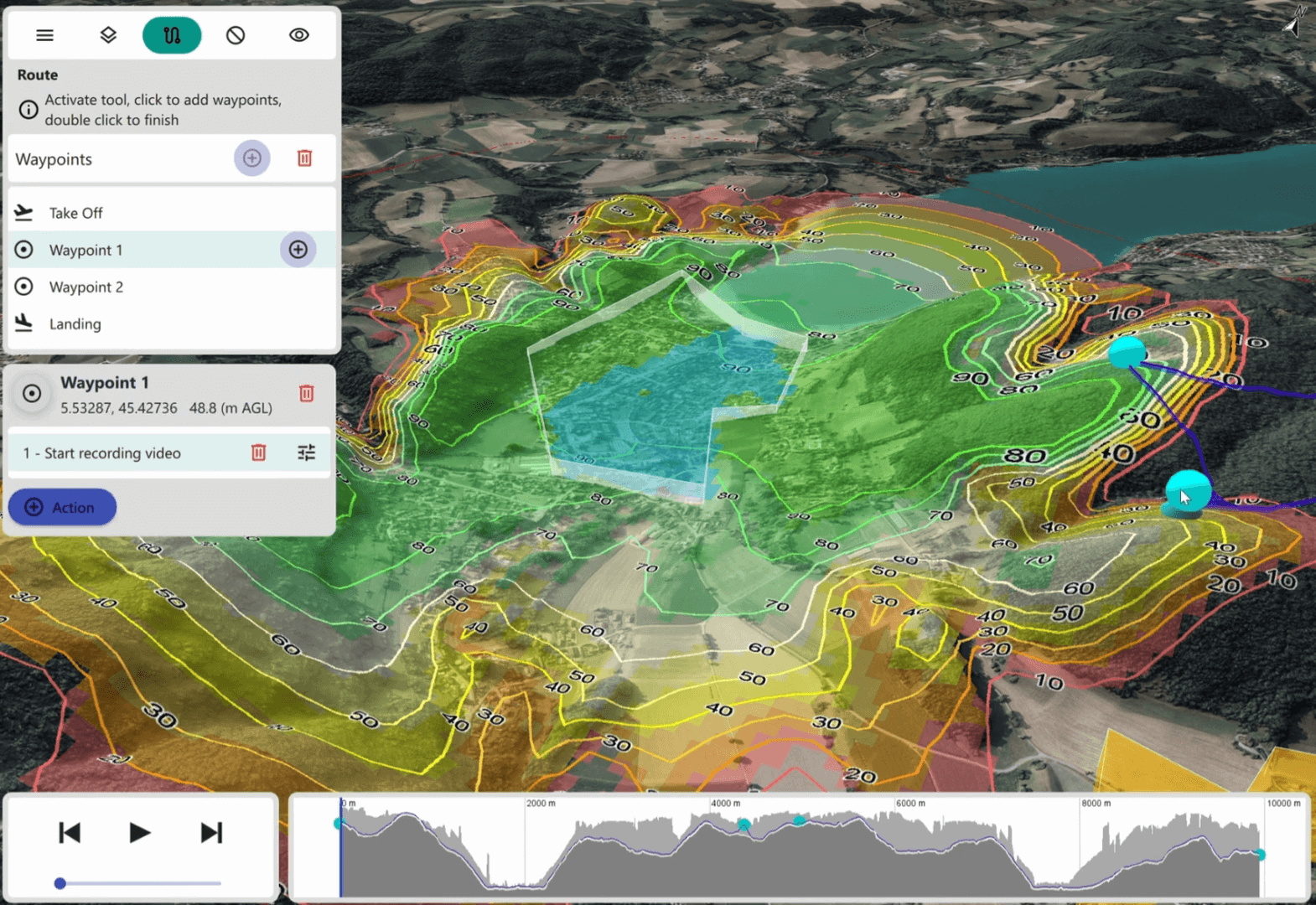
The Mission Kit demonstrates:
The Mission Kit includes full source code, px-file configurations, and a comprehensive training course that teaches you to:
Building a mission planning system from scratch involves solving many complex challenges.
The Mission Kit accelerates your development by providing:
Intelligent routing is fundamental to autonomous system operations. Carmenta Engine’s routing operators provide the building blocks, while the UAS Mission Kit shows how to assemble them into a complete mission planning capability.
Whether you’re developing for defense, public safety, infrastructure inspection, or other autonomous operations, understanding these routing concepts will help you build systems that enhance safety, efficiency, and mission success.
For complex routing scenarios, don’t reinvent the wheel — leverage proven solutions and expert guidance to get to operational capability faster.
Build and deploy Carmenta Engine applications to Linux/ARM (Raspberry Pi) in C++, .NET Core, or Java, with sample setup and run instructions.
View Post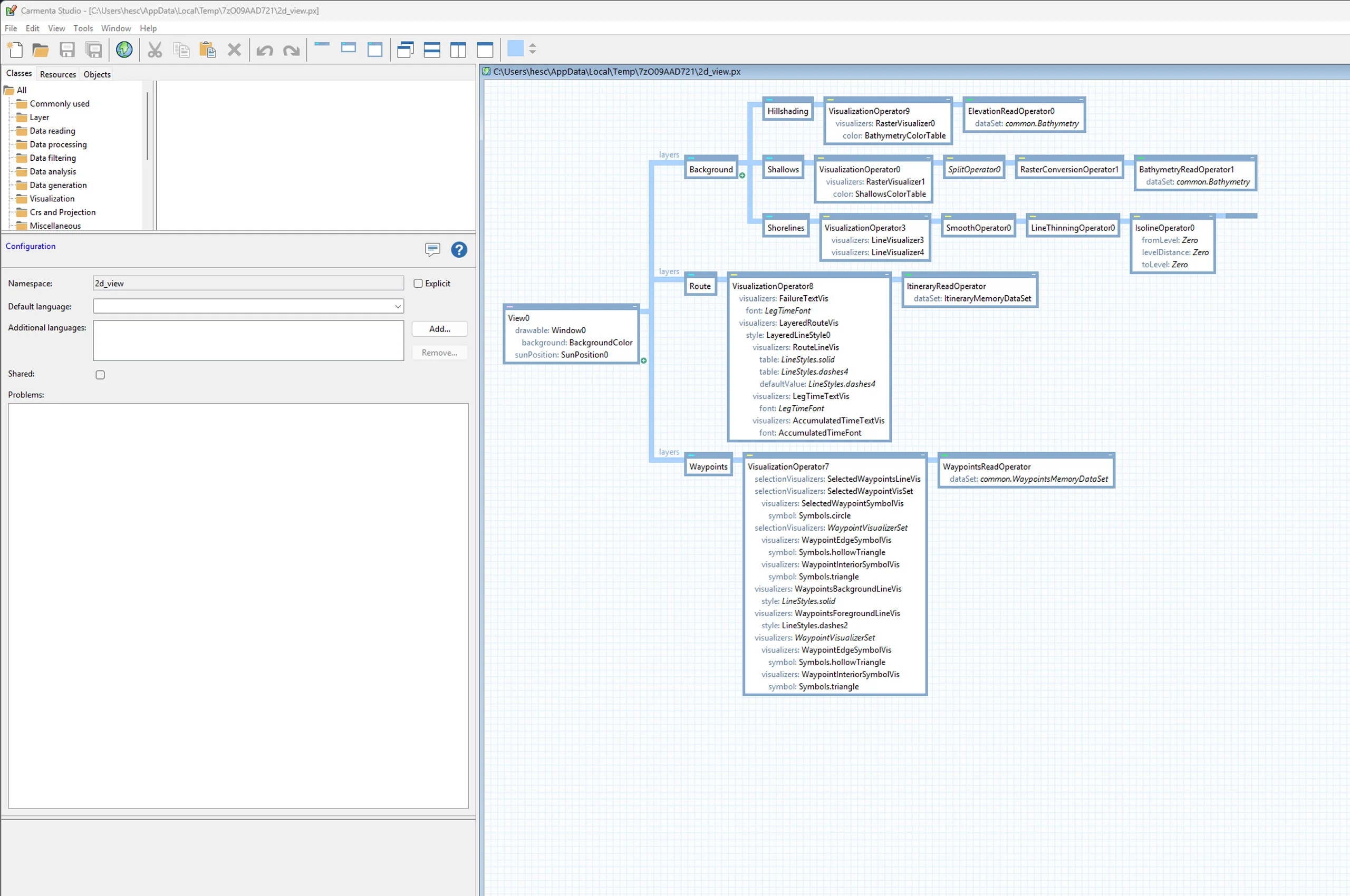
Learn how to call GetFeatures on Carmenta Engine operators to retrieve processed feature data directly in your application code using C#.
View Post